Portfolios and transcripts, without the scramble.
Save attendance, books, grades, and work as you go. Commonplace brings them together when it’s time for a portfolio, transcript, or report.
Start with attendance, grades, a portfolio, or a transcript.
14 days free. No credit card. No automatic charge.
Then $9.99/month or $79/year for your whole family. See family pricing.
You choose what to save and can export it anytime. We don’t use your children’s homeschool information for advertising. Read our privacy policy.
A simple view of how Commonplace brings the day together.
FOR THE
WHOLE YEAR
See what you can create
The little things you save become something worth keeping.
Open real documents made with Commonplace. These examples use the fictional Ingalls family. No account or email needed.
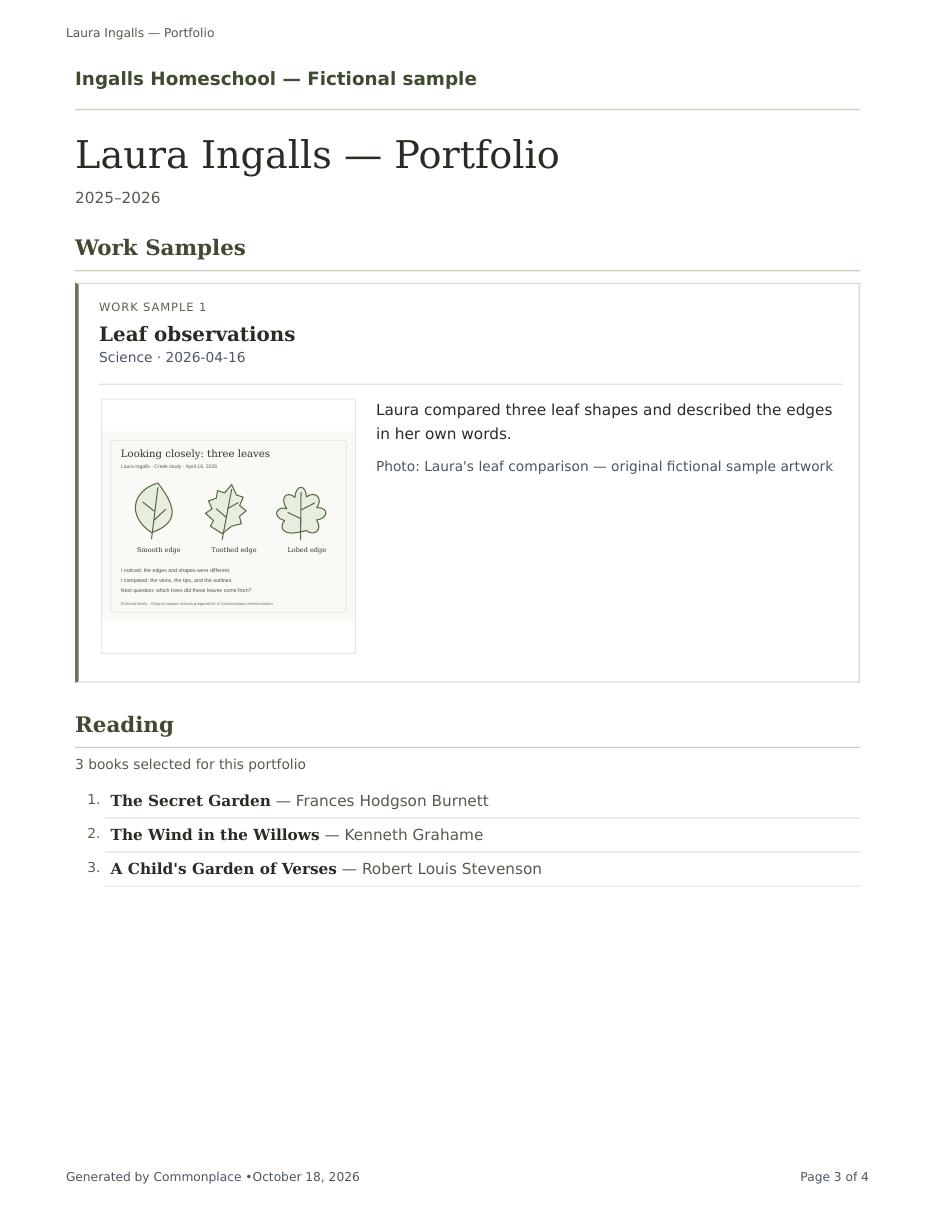
Portfolio
Four pages: a cover, an introduction, selected work and reading, and a separate activity page.
Open full portfolio PDF ↗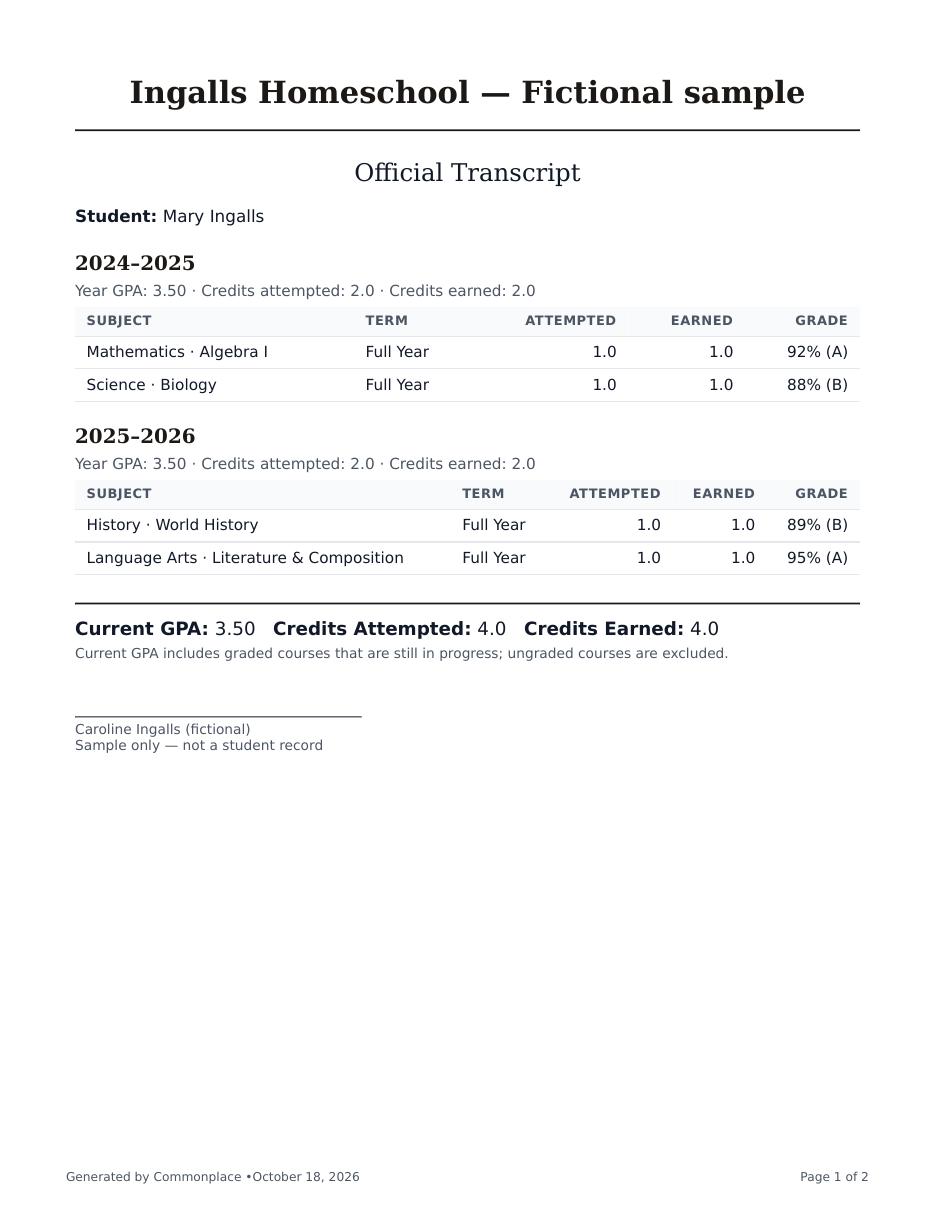
Transcript
Mary’s fictional completed coursework across two school years: four earned credits and a 3.50 GPA, followed by course descriptions.
Open full transcript PDF ↗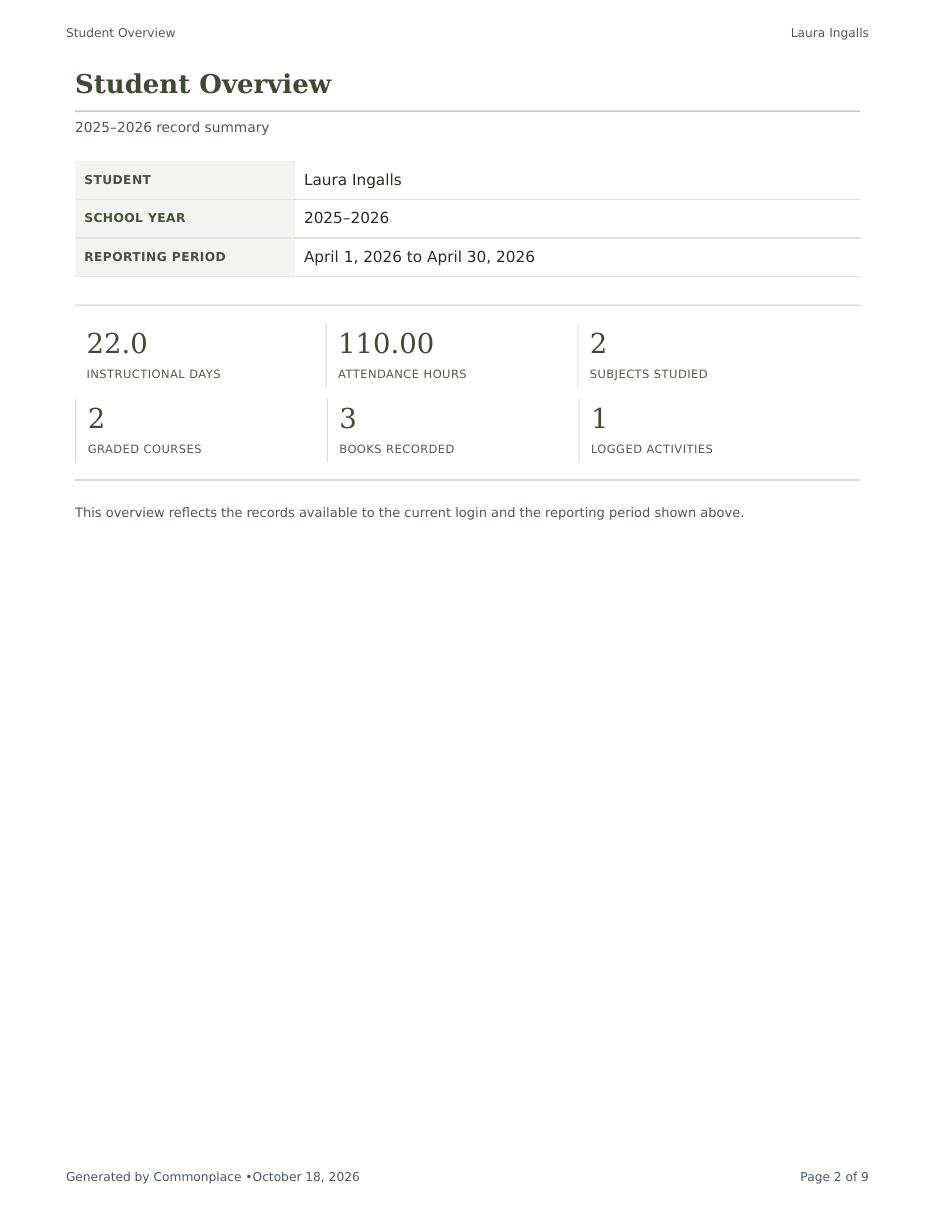
Record packet
Nine pages of selected attendance, courses, grades, books, activities, and signature space.
Open full record packet PDF ↗These are illustrative samples, not a complete school year or a promise of acceptance by a school or evaluator.
The learning is already happening
Bring the pieces of your homeschool together.
Books you’ve read, photos you’ve taken, work worth keeping. Commonplace gives them a home and brings them together when it’s time for a portfolio, transcript, or report.
- Attendance
- Calendar
- Reading lists
- Notes app
- Work samples
- Camera roll
- Grades
- Spreadsheet
- Documents
- Folders & binders
Keep the ordinary things
Mark a day, finish a book, enter a score, or save work worth remembering. Bring along the lists, photos, and work you already have.
Save it once. Let it do more.
Attendance becomes a printable ledger. Scores become course grades. Books and selected work become part of a portfolio.
Make the document you need
Look over what you’ve saved, choose what belongs, and create a portfolio, transcript, attendance record, or report.
A simple place to begin
Start with what you need today.
Choose what you’d like help with today. Add more whenever you’re ready.
I need to track attendance
Mark the family’s day once. Keep an individual record for each child.
Explore attendance →I need to keep grades
Record scores, keep course grades current, and use them again in reports and transcripts.
Explore the gradebook →I need to build a portfolio
Collect meaningful work as you go, or bring together the photos and work you already have.
Explore portfolios →I need to create a transcript
Bring high-school years together, including finished courses from before Commonplace.
Explore transcripts →Add a student and school year, then add your first book, grade, or work sample. Use the tools and level of detail that fit your family.
Keep the work you’ve already done
Your spreadsheets can come with you.
Bring an existing reading list, attendance sheet, or past-course spreadsheet from Excel or CSV. Choose which columns go with each field, then review the preview before saving. You can correct anything that needs attention first.
Start with one list. You can bring the rest over later.
See how spreadsheet imports work ↗See Commonplace in action
See what the little things can become.
Follow a learning moment into a portfolio, or course records into a transcript. These short videos have captions, so you don’t need sound.
Having trouble playing this? Open the video directly.
Make a portfolio, then keep a copy
For a closer look, use full screen. On a phone, turn it sideways for larger text.
Open the sample portfolio PDF ↗
Read the steps
- Choose the books and work you want to include.
- Keep a compact reading list, or choose to include book notes.
- Save a new portfolio to create a dated version.
- Preview the saved pages, then download the PDF.
- Selected work and books stay clearly separated.
- Activities have their own space, too.
Having trouble playing this? Open the video directly.
From course records to a transcript
For a closer look, use full screen. On a phone, turn it sideways for larger text.
Open the sample transcript PDF ↗
Read the steps
- Keep assignment scores with the course they belong to.
- Choose your student and the school years to include.
- Review courses still in progress before saving.
- Only mark a course Completed when it is finished.
- A separate completed-year example: four credits and a 3.50 GPA.
- Course descriptions can accompany the academic record.
Edited demonstrations using fictional Ingalls family records.
Start with what matters today
A homeschool organization app that can grow with your family.
Begin with one thing—attendance, reading, grades, or a family journal. Add more only when it earns its place.
Today & family rhythms
See attendance, today’s calendar, checklists, grades, rotating subjects, and family notes without turning Commonplace into a lesson-plan library.
Calendar, routines & checklists
Keep appointments, activities, repeating rhythms, and student checklists visible without forcing every week to look the same.
Curriculum organizer
Keep the books, programs, courses, and resources you chose organized by child, subject, and school year.
Attendance
Record full days, half days, hours, and core hours while watching progress toward your family’s annual goal.
Assignments & grades
Use points, percentages, weighted categories, or complete/incomplete grading—course by course.
Reading & learning logs
Keep read-alouds, independent reading, activities, journal reflections, and work worth remembering together.
Budgeting
Know what you planned to spend, what you actually spent, and which purchases belong to each child or subject.
Reports, portfolios & transcripts
Bring attendance, books, grades, and work into attendance summaries, reading lists, progress reports, portfolios, transcripts, and year-end packets.
Exports & backup
Download your information and attached files. Your homeschool history should never feel trapped in an app.
Explore every Commonplace feature →
What Commonplace is—and what it isn’t
A place to keep your homeschool, not a system that tells you how to run it.
A place to keep the year
Attendance, reading, grades, activities, work samples, notes, portfolios, and transcripts can live together.
Flexible support, not a homeschool method
Use the rhythms, subjects, grading choices, and level of detail that fit your family. Commonplace does not prescribe a method.
Not a curriculum or lesson library
Commonplace does not provide prewritten lessons or automatically schedule curriculum. It helps organize what you chose and keep the details that grow from it.
A simple start. Room to make it yours.
Use what helps today, and find more when you need it. Students can have a calm space of their own, too.
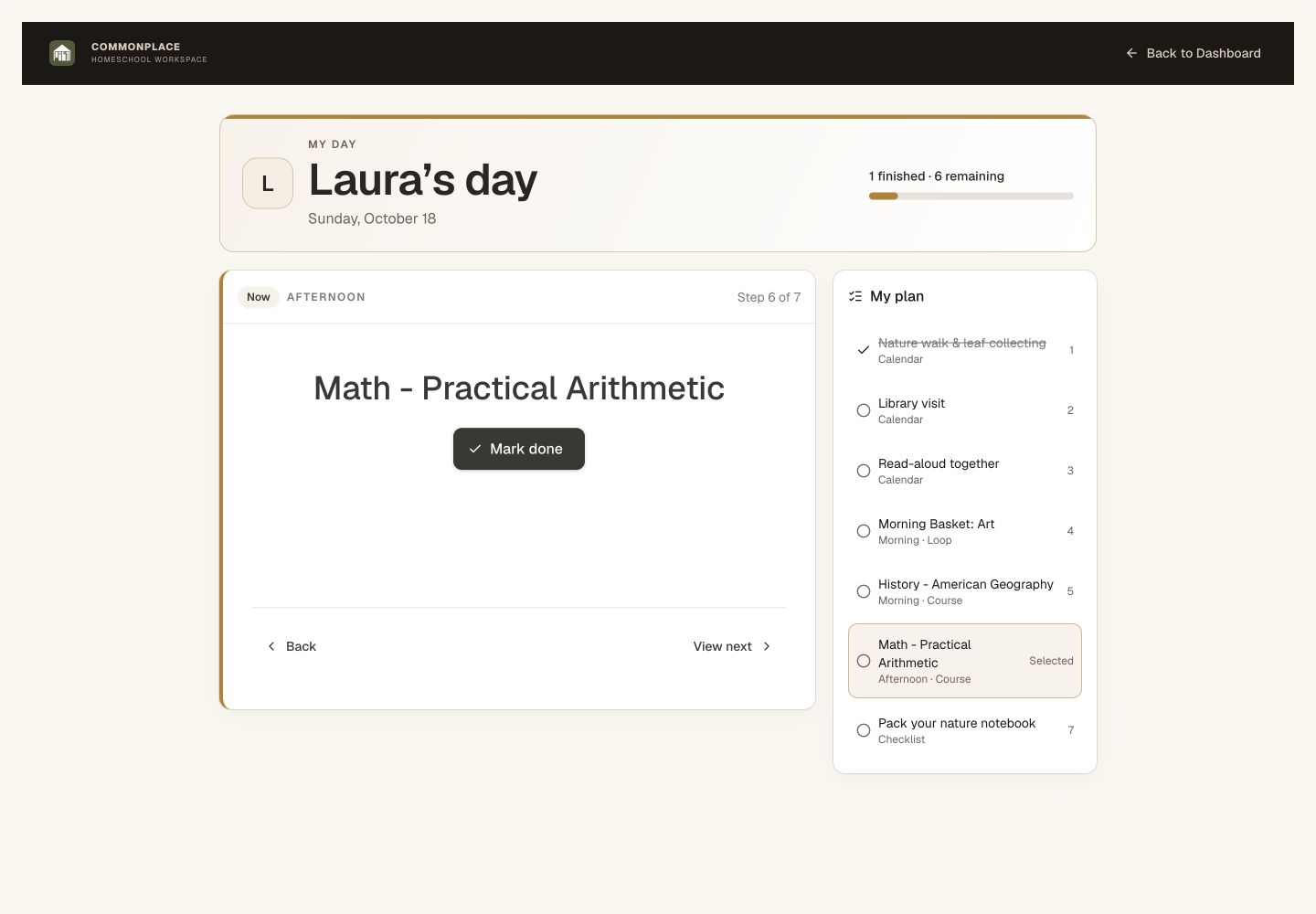
A space of their own
My Day gives each student their own task list, one clear next step, and a gentle acknowledgment when the day’s list is finished. You choose which tools their login can use.
See the student view →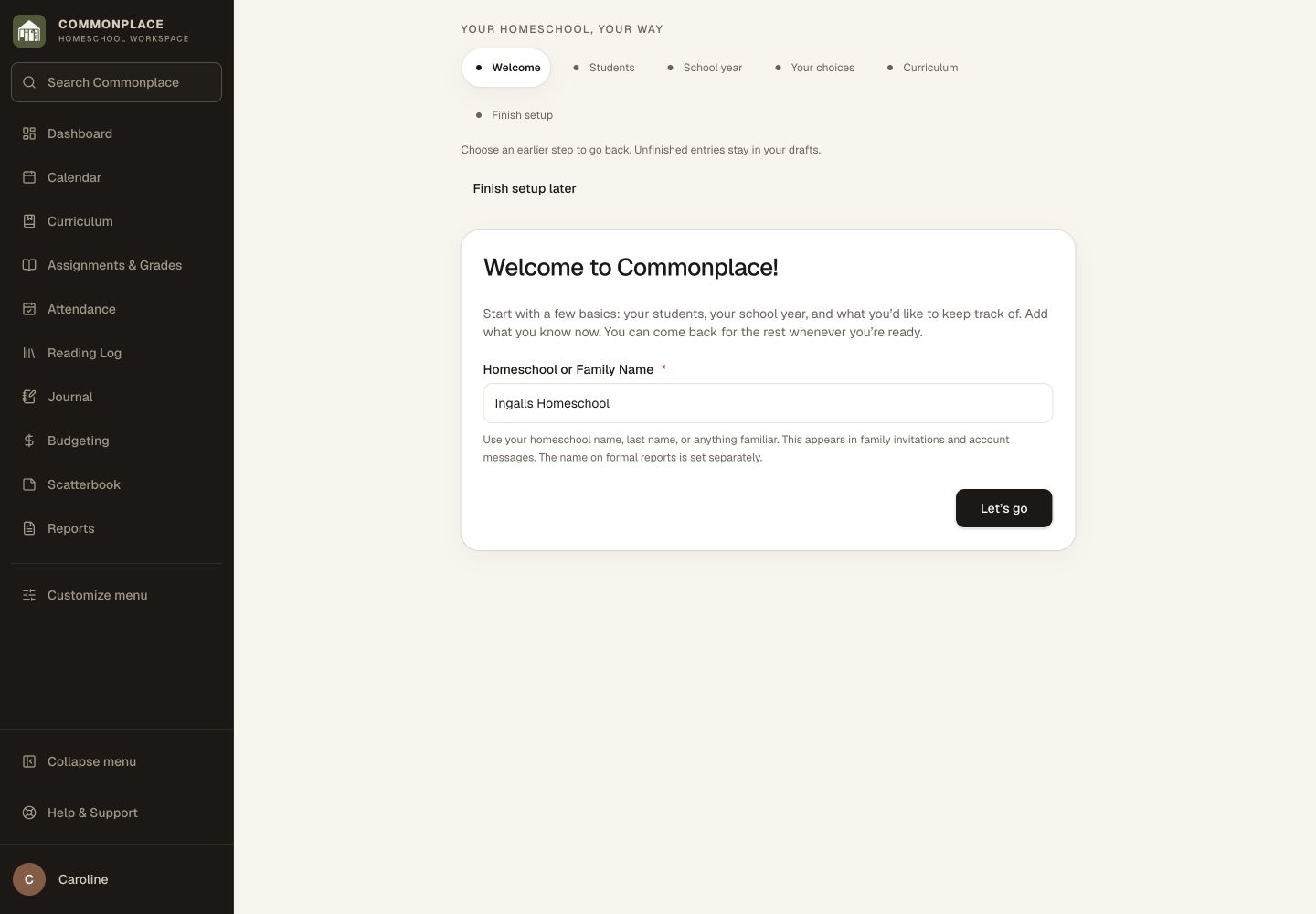
A welcoming first step
Guided setup starts with students and a school year shared by the family. Go back to review or edit a saved step, and add the rest when you are ready.
See setup and discovery →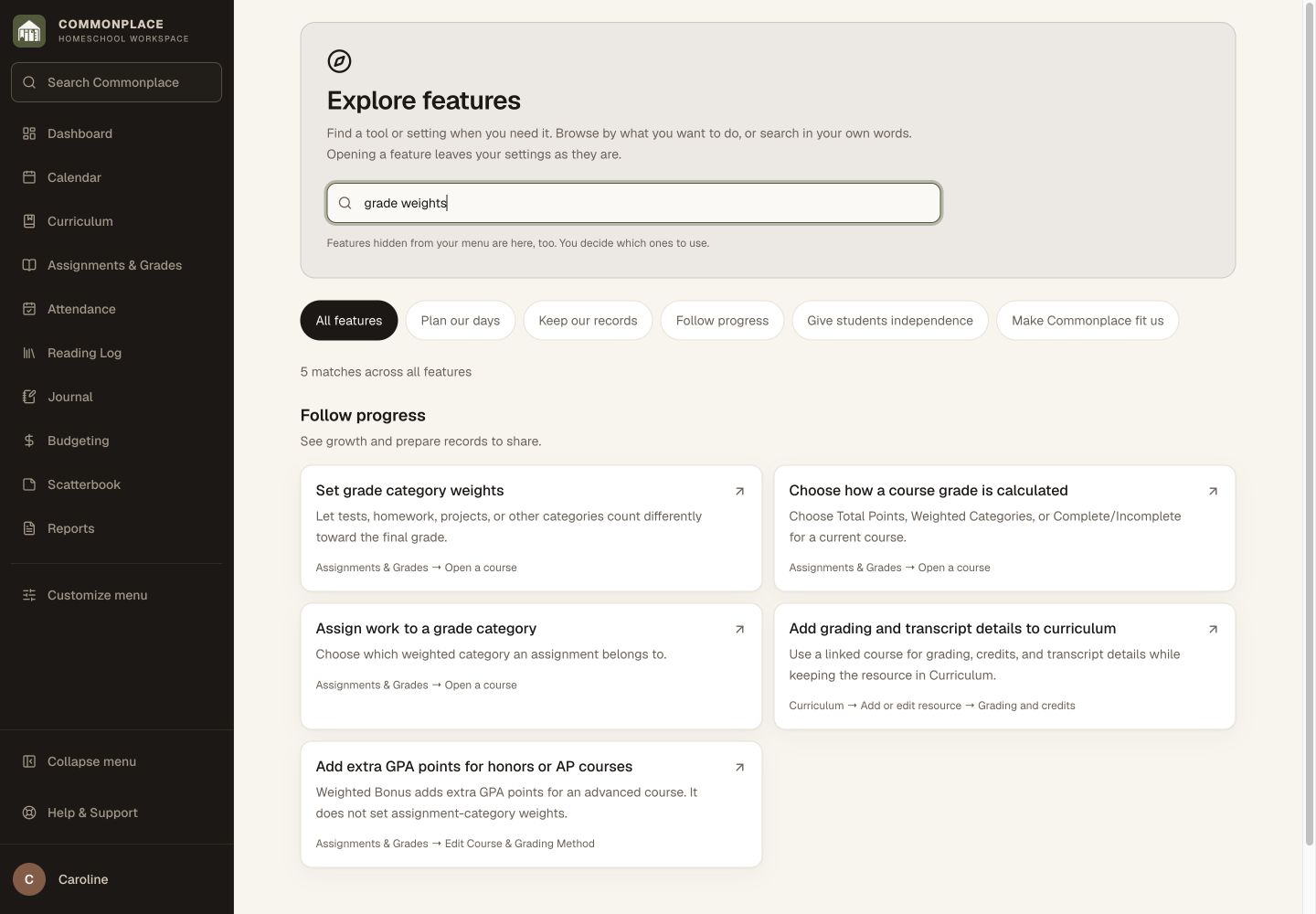
Find the option you had in mind
Explore features lets you search in your own words, including grade weights, core hours, book notes, and tools hidden from your menu. Opening a result does not turn features on.
See feature search →A real homeschool, already in motion
See the whole day without digging for it.
Take a look inside a family’s school year—from the morning checklist to portfolios and transcripts that are ready when you need them.
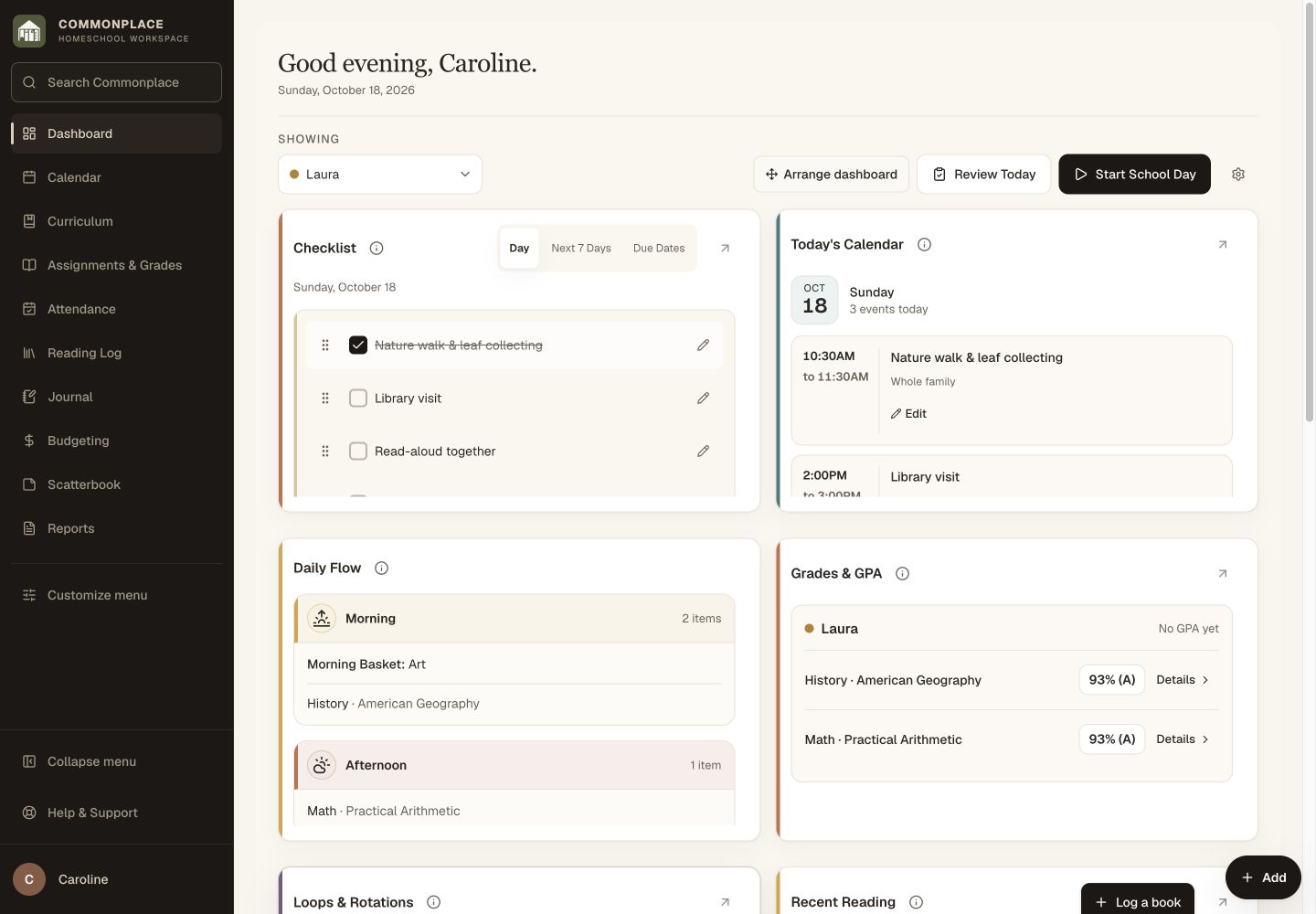
Your day at a glance
Know where everyone stands before the day gets away from you.
Choose the sections your family uses. Filter to one child or view everyone together. This example shows Laura’s day.
1 of 16Choose a part of the homeschool day
Current Commonplace screens with fictional Ingalls family data. Open any screenshot full size for a closer look.
Straightforward family pricing
Every feature. Your whole family.
Keep attendance, grades, books, and work together, then turn what you’ve saved into the documents you need. Start with one useful thing during your free 14-day trial. No credit card required.
Monthly
Full access with the freedom to cancel anytime.
- All current features
- Unlimited portfolios & transcripts
- Teacher and student logins
- Exports and printable reports
Yearly
Everything in Commonplace for one simple annual price.
- All current features
- Unlimited portfolios & transcripts
- Teacher and student logins
- Exports and printable reports
No credit card and no plan choice today. When your trial ends, your account simply pauses until you choose a plan. Nothing is deleted when the trial ends, and you can still sign in to subscribe or export your records.
Questions, answered
Commonplace, in plain language.
Do I need a credit card for the trial?
No. Create your family account and use Commonplace free for 14 days without entering a card.
Is Commonplace a homeschool organization app for every method?
That’s the point. Commonplace supports different schedules, grading approaches, subjects, students, routines, and levels of detail without prescribing a method.
Does it help with state requirements?
Commonplace helps you keep the records many states request, including attendance, hours, subjects, progress, and course information. Because laws vary, it does not replace your state’s official guidance or legal advice.
Can my children use it too?
Yes. Student logins can be limited to the tools and information you choose, while teacher accounts retain full family access.
Can I get my information back out?
Yes. Commonplace includes data and media exports so your records remain yours.
Does Commonplace provide lessons or curriculum?
No. You choose what and how you teach. Commonplace organizes the resources, routines, and details that can become portfolios, transcripts, and reports.
Keep the year. Build portfolios and transcripts. Make room for learning.
This homeschool organization app holds the practical pieces of home education together, so portfolios and transcripts are ready without taking over the homeschool day.
Start your free 14-day trial14 days free. No credit card. No automatic charge.
Then $9.99/month or $79/year for your whole family. See family pricing.